 CourseGlade
 Instructors, commissions & withdrawals
Run a multi-instructor academy: applications, commission, earnings maturity, and payouts.
CourseGlade’s multi-instructor system is in the free plugin. Configure it under Settings → Instructors, and manage people under CourseGlade → Instructors.
Settings
- Instructor Registration — Allow instructors to register and Require Admin Approval
- Global Commission Percentage — the instructor’s share of sales (70% by default), overridable per course
- Earnings & Withdrawals — Minimum Withdrawal Amount ($50), Earnings Maturity Period (days) (7), and enabled Withdrawal Methods (PayPal, Bank Transfer, eCheck)
Applications
Applicants apply through the Become an Instructor page. The form collects first/last name, email, phone, website, a required Bio / Experience, and an optional CV / Resume.
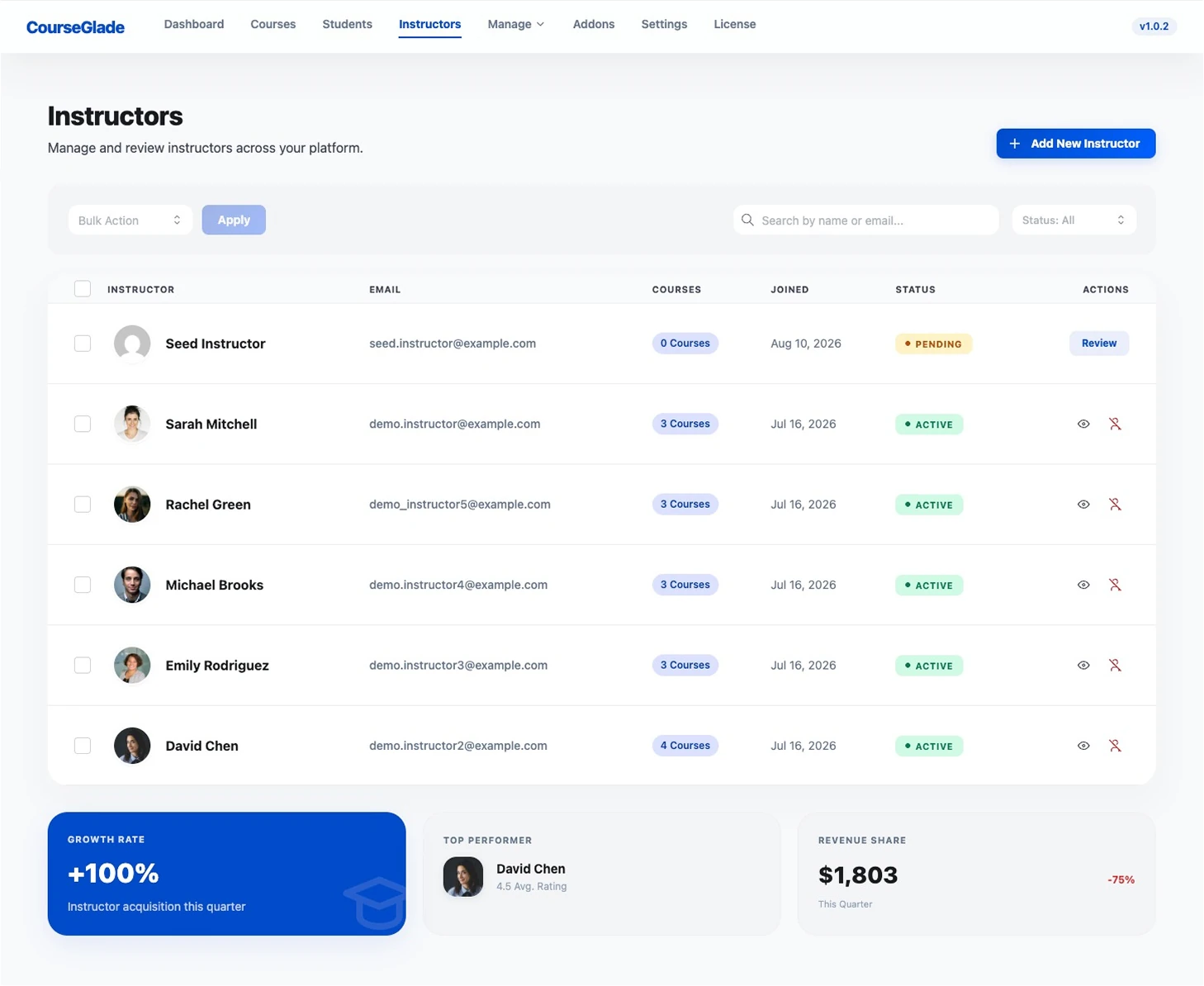
You can also skip the application entirely — Add New Instructor on the Instructors page creates an approved instructor directly, which is quicker when you’re onboarding someone you already know.
Applications appear in the CourseGlade → Instructors list filtered by Pending, each with a Review action.
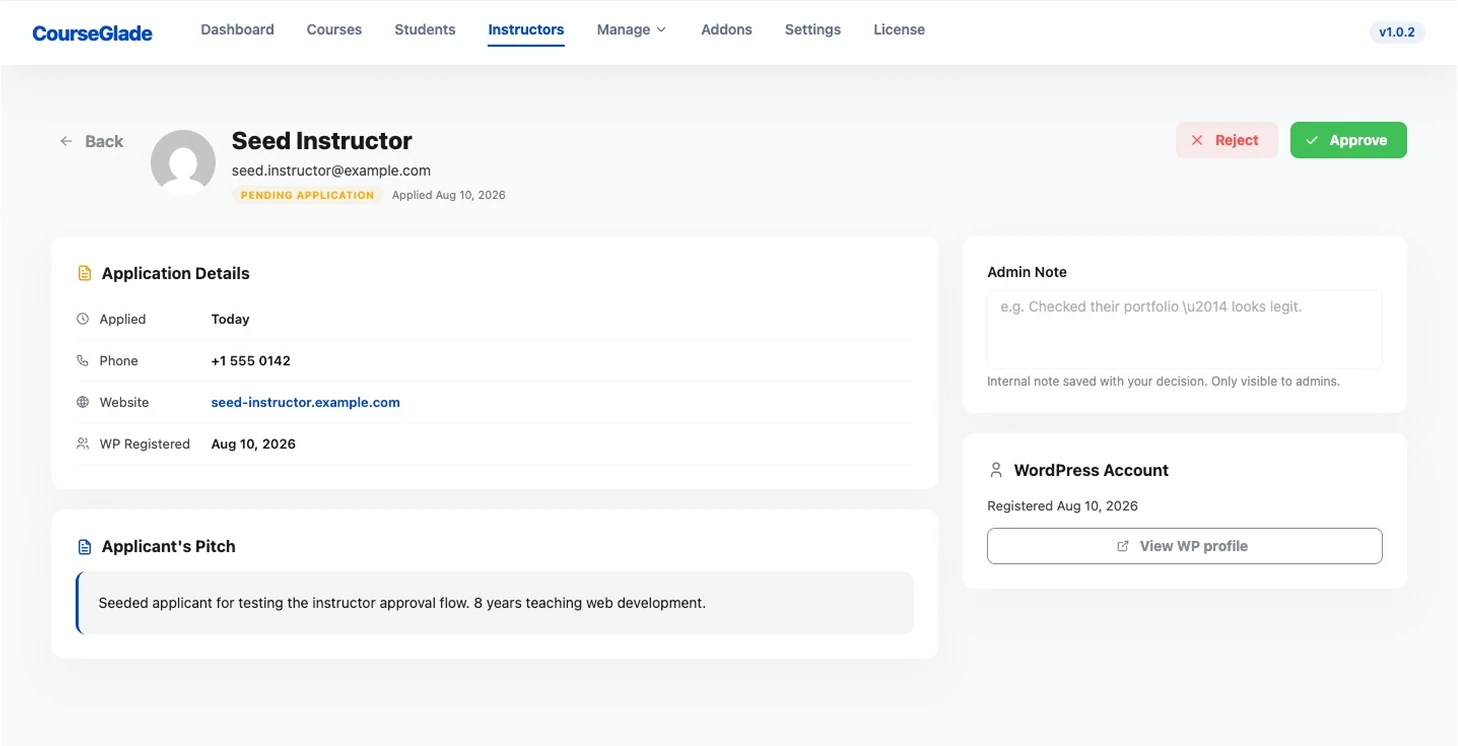
Open one to see the applicant’s pitch and details, then Approve or Reject (each sends the applicant an email). You can attach an Admin Note — an internal comment saved with your decision, visible only to admins. Approved users get the instructor role and can be assigned to courses.
Commissions
Commission is global by default (the Global Commission Percentage). A course can override it with a per-course revenue-share value. When a course has several instructors, the pool splits by each instructor’s share (or equally if unset); if a course has no assigned instructor, earnings go to the course author.
Earnings maturity
Each sale posts to the earnings ledger as pending, with an available date set by the maturity period (7 days by default) — this covers the refund window. A scheduled task flips matured earnings to available. Setting maturity to 0 makes earnings available immediately.
Withdrawals
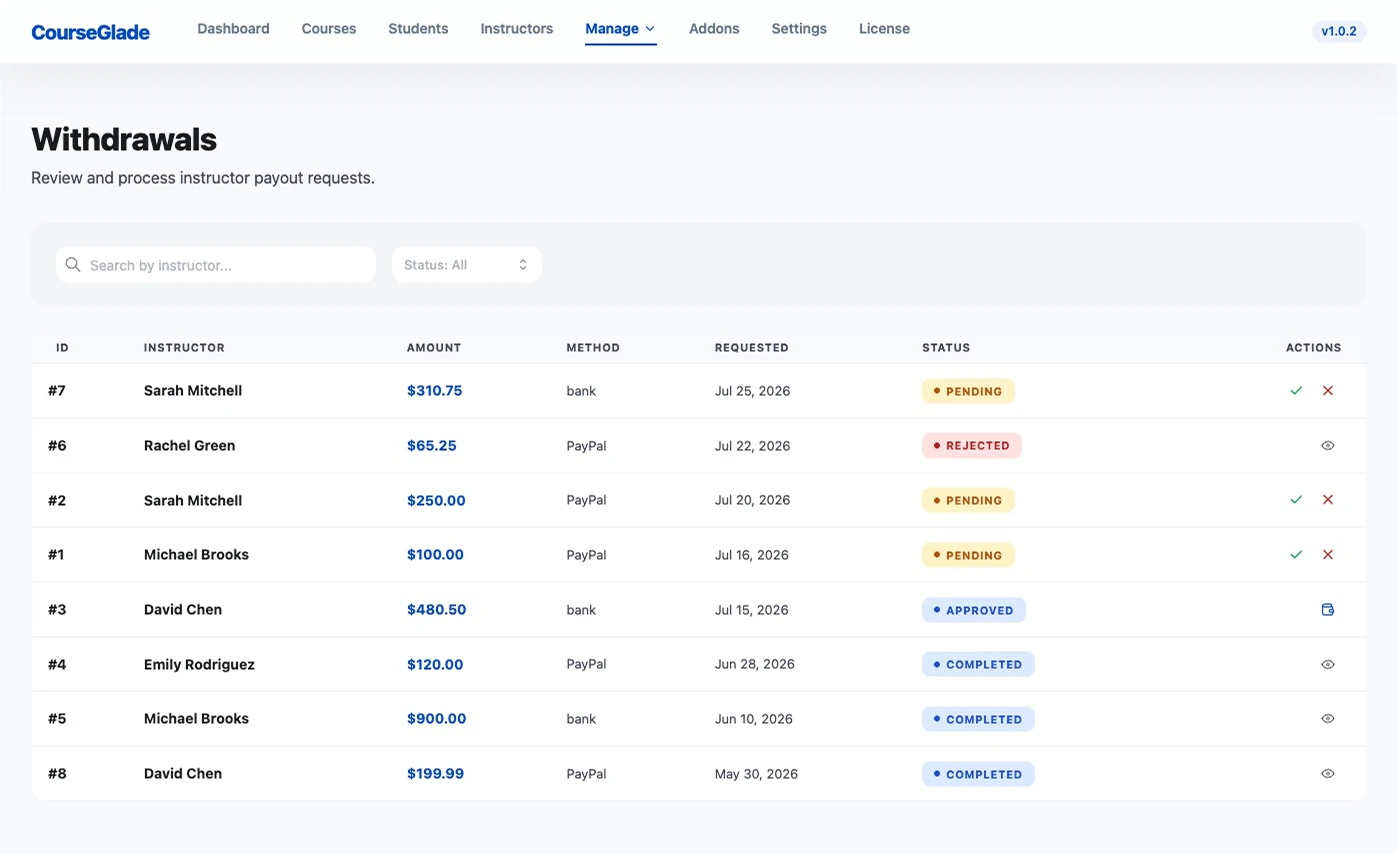
Instructors request payouts from their dashboard once available earnings pass the minimum. Requests appear under CourseGlade → Withdrawals and flow pending → approved → completed (or rejected). On approval you add a Transaction ID / Reference and a note, then click Mark as Paid.
While a request is still pending, the instructor can cancel it themselves, name the destination it should be paid to, and — if it’s rejected — see why.
Related
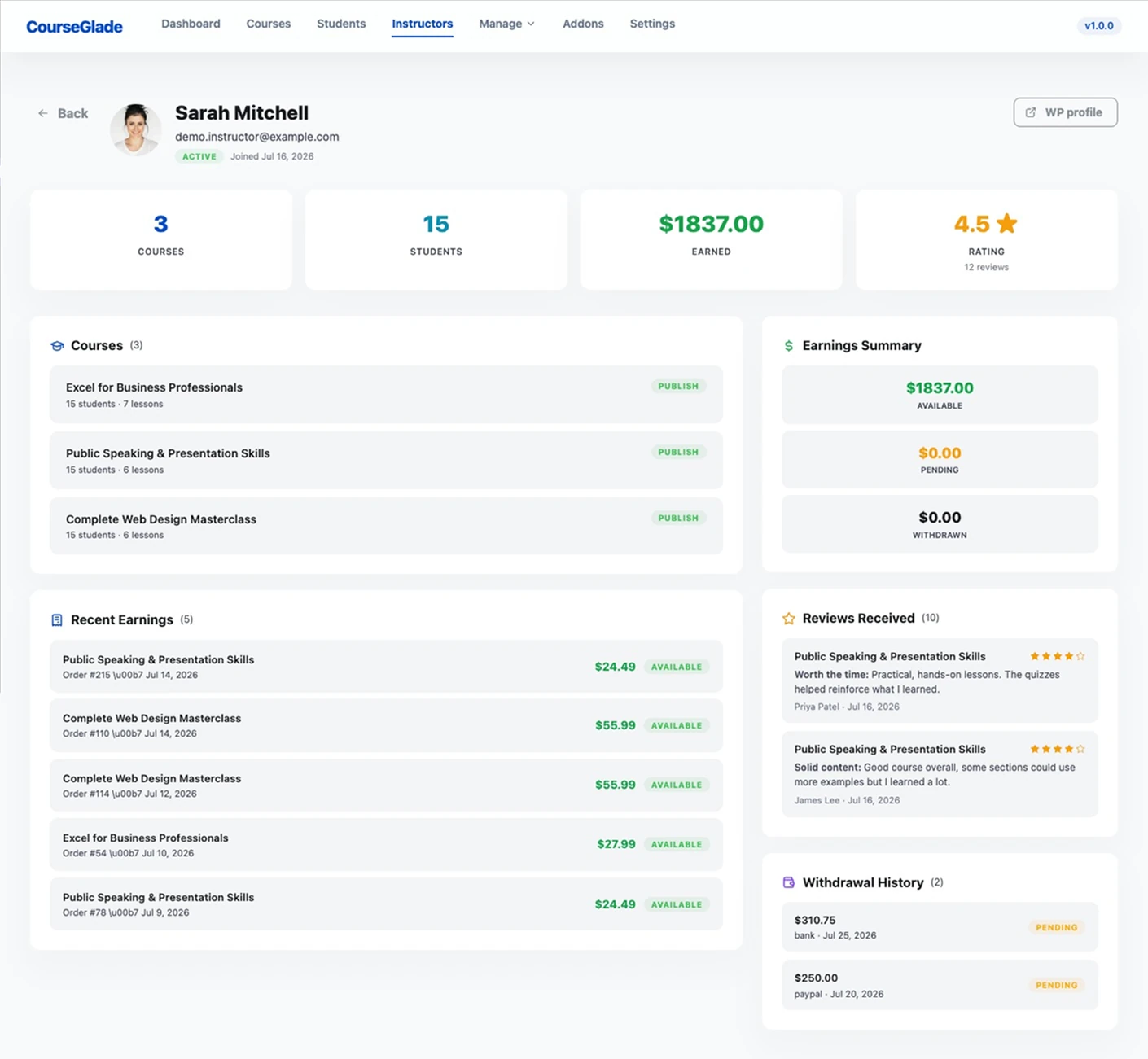
- Instructor profiles
- Student dashboard (earnings and withdrawal tabs)