 CourseGlade
 Quiz question types
The 8 question types and auto vs manual grading.
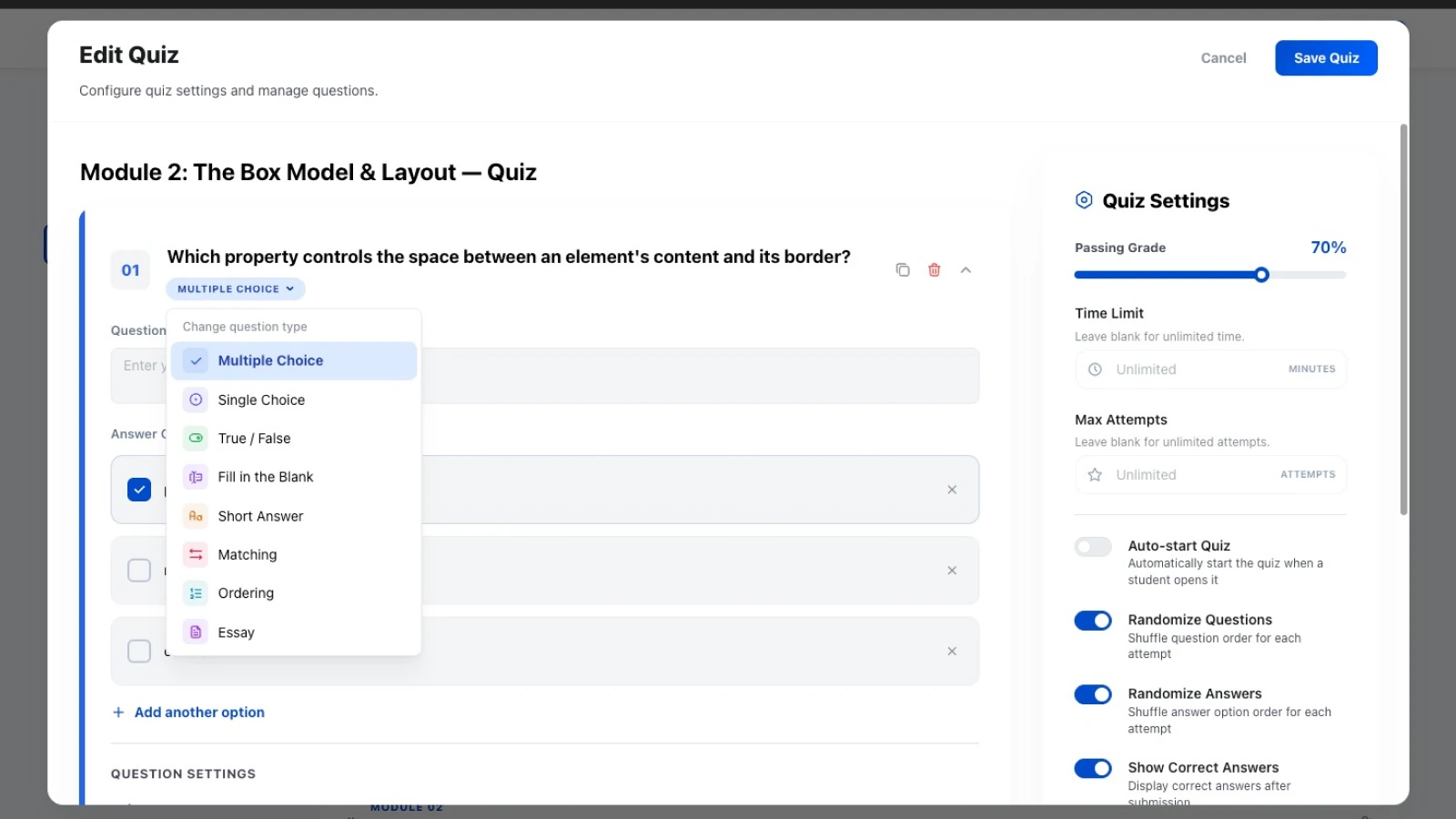
CourseGlade’s free plugin includes eight question types.
Questions are stored in CourseGlade’s private question library and can be searched, filtered by type or category, edited, duplicated, and managed by users with the appropriate question capabilities. Questions remain private to the academy and are served through CourseGlade’s authenticated admin API.
The eight types
| Type | Graded | Use for |
|---|---|---|
| Single Choice | Auto | One correct answer, radio buttons |
| Multiple Choice | Auto | Several correct answers, checkboxes |
| True / False | Auto | Quick recall checks |
| Fill in the Blank | Auto | Terminology and exact answers |
| Matching | Auto | Pairing concepts with definitions |
| Ordering | Auto | Sequences and processes |
| Short Answer | Manual | Brief free-text responses |
| Essay | Manual | Long-form reasoning |
Single vs Multiple Choice
Both appear in the quiz builder’s Change question type menu as separate types — Single Choice (“select one”) and Multiple Choice (“select all that apply”) — so you pick the interaction that fits the question.
Auto vs manual grading
The six auto-graded types score instantly when a student submits. Short Answer and Essay need a human — they’re held for grading, where an instructor assigns points and leaves feedback. See Quizzes & grading.
Pro: gradebook
With the Pro Gradebook addon, quiz results combine with assignment grades into letter grades and GPA across a course.